The morning check that comes to you

Every morning, tlly checks the numbers you care about in Stripe, Shopify, HubSpot or a Google Sheet and emails you one line: all good, or what needs attention.

Always current

tlly pulls fresh numbers from your tools before your morning email. Nobody copies figures by hand.

Clear rules

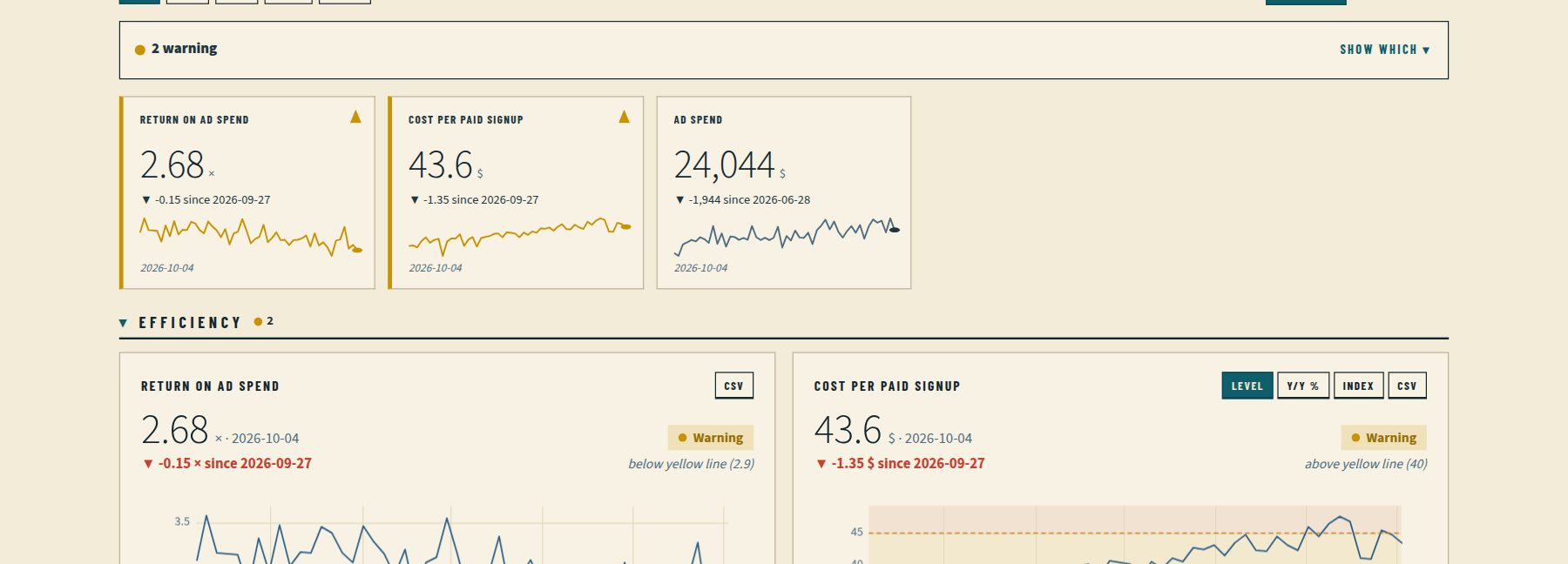
Every number is green, yellow or red against your targets, so the page opens with what needs attention.

Told every morning

One email at 8am your time, “All good” or the numbers that need you. A message to Slack too, if you want it.

Team-ready

Share a link with clients or keep it private to your team, with roles, single sign-on and an audit log.

What lands in your inbox

One email after the morning check. Green means nothing to do; yellow or red names the numbers that crossed your lines.

All good: 6 numbers checked

Revenue · checked today 8:00 your time

  • Stripe balance — $61.2k
  • MRR (from your Sheet) — $48.2k
  • Failed charges — 4 today
  • Shopify orders — 86 yesterday
  • Runway — 8.4 months
  • API error rate — 0.8%

Everything is within your targets.
2 need attention: MRR, Failed payments

Revenue · checked today 8:00 your time

  • MRR — $43.6k below $45k
  • Failed charges — 9 today above 5
  • Stripe balance — $58.1k

Open the dashboard for charts and history.

Watch it work

Describe it once, in plain words. tlly sets up the check, keeps it current and emails you when a number crosses your line.

What teams watch with tlly

These run on sample data that tlly updates on a schedule. Each one is a template you can build with a single prompt on your own numbers.

Sales

See a slipping quarter in week three, not week twelve

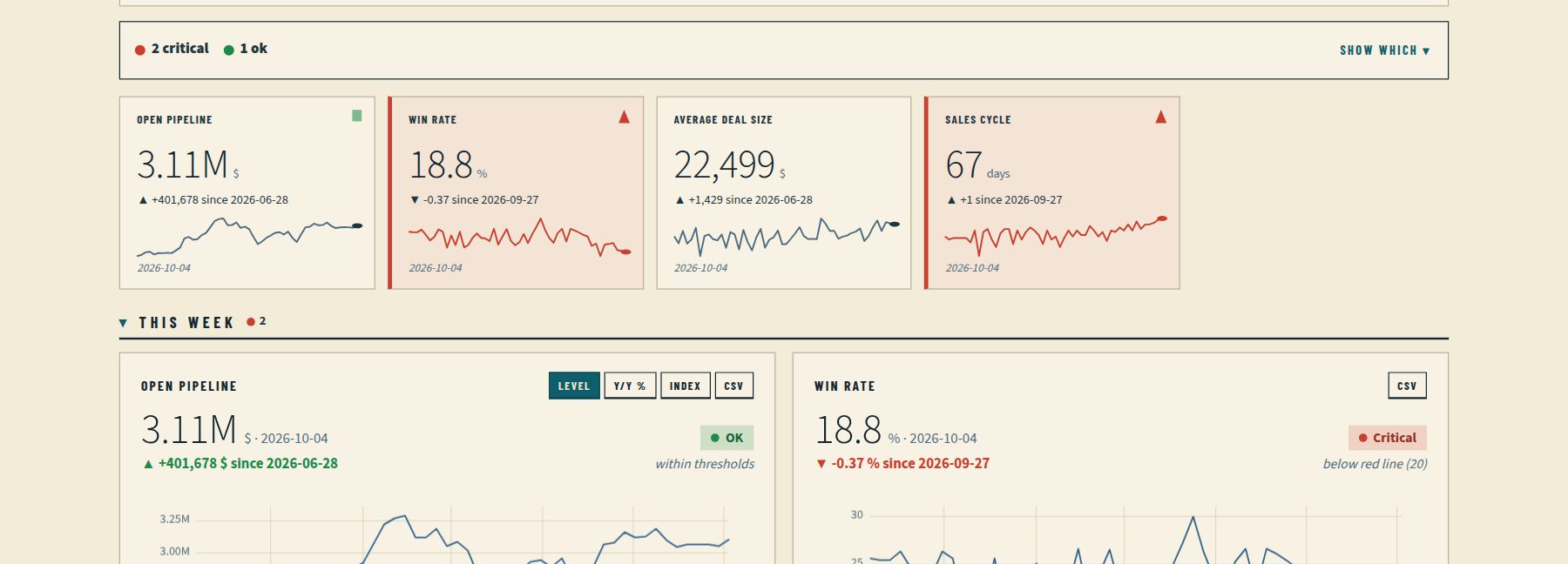
Your agent pulls open pipeline, deal count and deals won from your CRM. When pipeline drops under your line, the dashboard turns red and the team hears about it before the forecast call.

  • Pipeline cover against next quarter's target
  • Open deal count
  • Deals won per week

Works with HubSpot or a published Google Sheet

Updated 55 minutes ago.

Open the live sales pipeline dashboard →
SaaS finance

Catch churn before it shows up in revenue

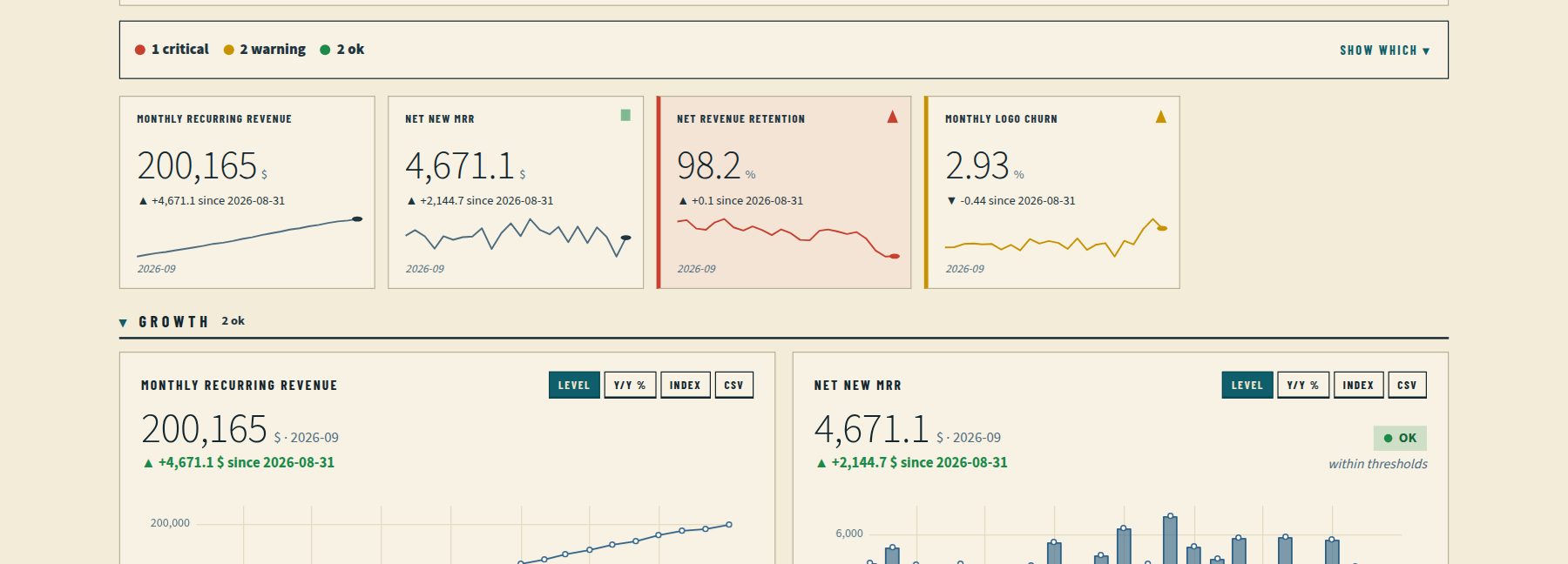
Recurring revenue can keep climbing while existing customers quietly shrink. tlly watches the MRR and churn you already track, next to the Stripe balance, so you see the leak the month it starts.

  • MRR and net new MRR from a Sheet or a push
  • Stripe balance
  • Failed payments against their recent average

Works with Stripe (balance), a Sheet or push

Updated 55 minutes ago.

Open the live saas revenue dashboard →
E-commerce

Know checkout broke before your customers tell you

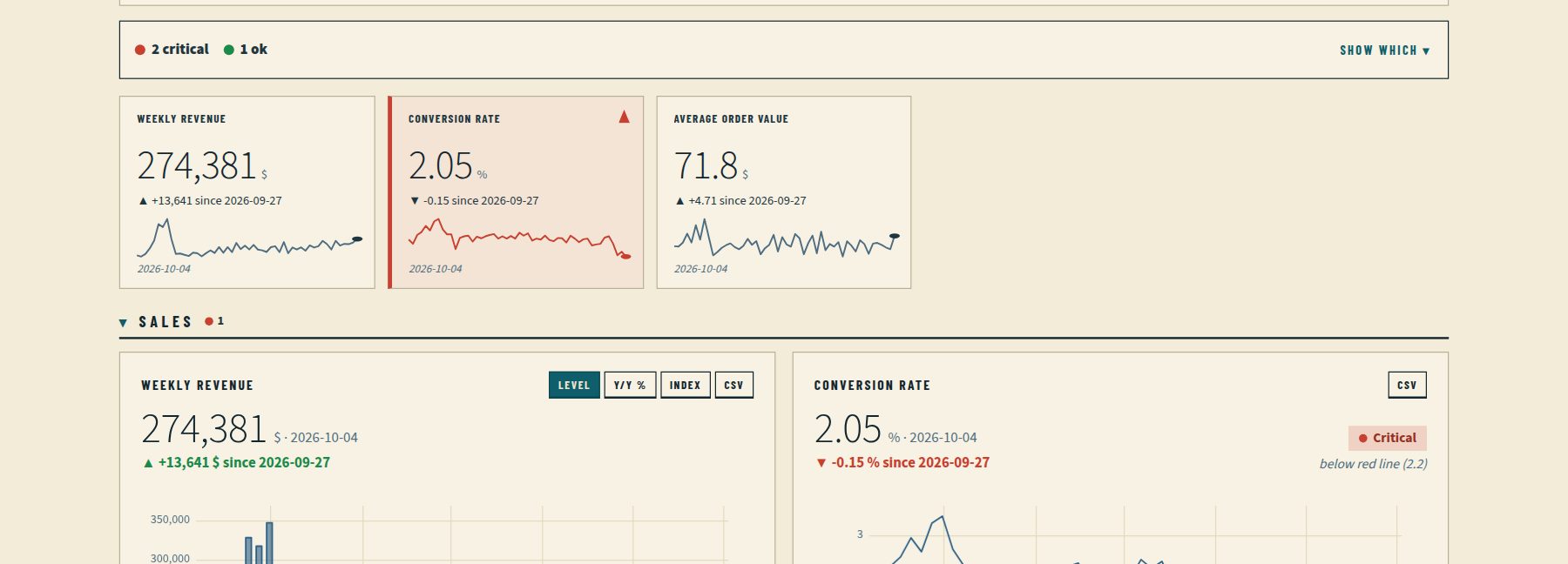
A quiet checkout shows up as fewer orders than your recent weeks. tlly checks revenue, orders and average order value on a schedule, and conversion when you add sessions to a Sheet.

  • Revenue, orders and average order value
  • Orders against the last four weeks
  • Conversion when sessions are in a Sheet

Works with Shopify or a published Google Sheet

Updated 55 minutes ago.

Open the live online store dashboard →
Website

Hear the morning traffic or signups fall off

Visitors and signups can slip for days before anyone opens the analytics tool. Push those numbers, or keep them in a Sheet, and tlly emails you when one drops under the line you set.

  • Visitors and signups, week by week
  • Organic and paid, when you record both
  • An alert when traffic falls under its line

Works with A published Google Sheet, or Plausible and PostHog numbers you push

Updated 55 minutes ago.

Open the live website traffic dashboard →

Start from a template

  • SaaS metrics Know the same morning when failed payments spike or cash runs low.
  • Shopify store Hear about a bad sales day the same morning, not after the weekend.
  • Sales pipeline Know the week your pipeline slips, without building the Monday slide.
  • Agency clients A live KPI page for every client, and a warning before the client notices.
  • AI agents Give your agent somewhere to keep watching after the chat ends.
  • Google Sheets Your KPI sheet, checked every morning, with a tap on the shoulder when a cell turns red.
  • Cash and costs Runway, burn and spend, from the sheet you already keep.
  • Markets and macro Rates, prices and indicators, checked on a schedule.

How it works

1

Describe

Start free and say what you check every morning, in your own words: "daily Shopify orders, red if they drop 30% below normal". Or pick a template.

2

Connect

Share a Google Sheet, or paste a view-only key from Stripe, Shopify or HubSpot. The assistant shows you where to find it.

3

Get your morning check

An email every day, plus an alert the moment a number turns red.

Already use Claude or Cursor? Connect your own AI assistant and ask tlly from there. Setup guide →

Also included

  • Calculations % change, averages, runway and ratios, worked out for you
  • Tiles and charts headline numbers and problems first, then full charts; compact tiles where you want them
  • Views and exports zoom, year-on-year and index views, CSV, embeds, light and dark
  • Problems flagged if a source stops updating, tlly tells you and the assistant helps you fix it
  • Your own data from your tools with view-only keys (encrypted), a Google Sheet, or sent in by your developer
  • Plain-words setup the tlly assistant on every members page builds and edits dashboards from a description
  • View counts see how often a shared dashboard was opened, and when it was last viewed
  • Guided start a short setup on first sign-in, with templates for SaaS, online stores, sales, agencies, finance and markets
  • Your own AI assistant Claude or Cursor can build and check dashboards for you, with approval in the browser or a key you can revoke
  • Single sign-on with Okta, Microsoft Entra, Google Workspace, Auth0 or any OIDC provider
  • Workspaces with owner, editor and viewer roles
  • Private dashboards only your team can open, switched with one click
  • A history of every change, by people or AI assistants, downloadable as a spreadsheet
  • Morning check email and instant alerts
  • Shareable client links that can be replaced any time

Pricing

Start free. Pay once tlly is part of how your team works.

PlanPriceDashboardsChecksPeople
Free$035 checks eachJust youStart free, no card
Pro$19 / month founding (50 spots left, until 22 Nov 2026, 23:59 Europe/Oslo); then $29 / month or $290 / year20200 checksyou + 5Start free, then upgrade
Business$99 / month or $990 / year1001,000 checksyou + 20Start free, then upgrade

Launch founding offer: Pro at $19/month, locked for life, for the first 50 paying customers (50 spots left until 22 Nov 2026, 23:59 Europe/Oslo). Yearly Pro is $290/year; Business is $99/month or $990/year.

Start on Free (no card, no trial). Upgrade to Pro or Business when you need more; paid plans bill through checkout with a 30-day money-back guarantee. Cancel anytime. Every plan includes the tlly assistant, your morning check email, alerts, shareable or private dashboards and a change history. Business adds company sign-in (SSO), more dashboards and more seats. Prices in USD, tax added at checkout; taxes are calculated at checkout by our reseller Link (Stripe) handles payments securely. Full plan numbers: API or Plan & usage when signed in.

Good to know

What it stores

Dated numbers, short labels and short notes. No files, documents or personal data, so there's little to leak.

Who can see it

Shared by a long random link you can replace any time, or made private to your team with one click.

At a limit

At a limit, tlly stops and tells you. Nothing is half-saved.